
Use this feature to:
- move customers between sales districts, chains and wholesalers
- change customers priority and appointment frequency.
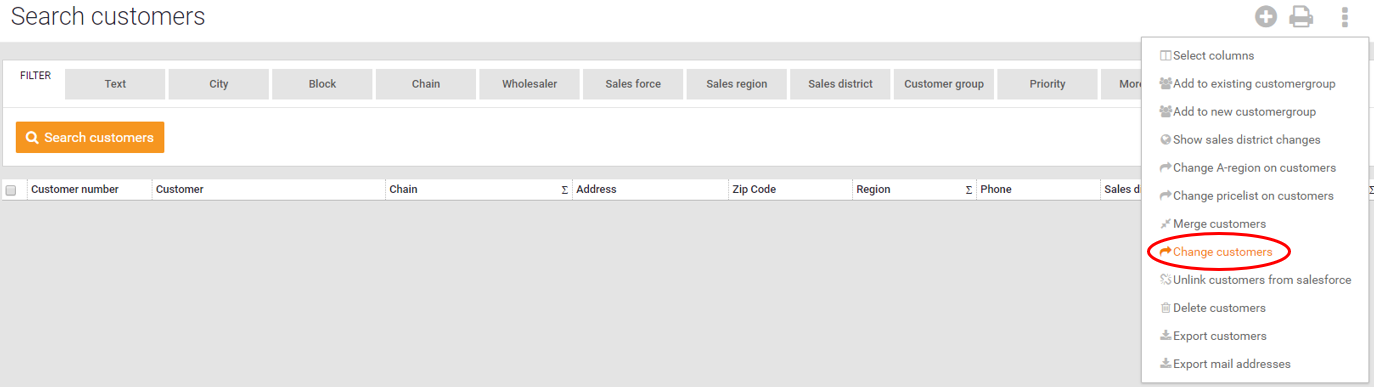
- Select the customers you want to change.

- Click on "Change customers".
- Choose what you want to change about the customers:
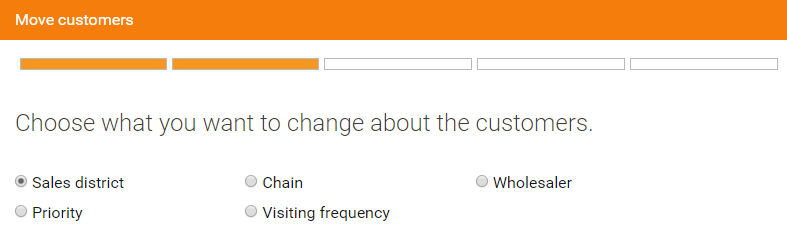
- Select which sales force the change should be applied to. If you change the priority or appointment frequency and selects "all sales forces" the base priority/frequency for the customers will change.
If you choose a specific sales force, then only the sales force priority/frequency is updated on that sales force. - Select where you want to move the customers/select priority or frequency.
- See the overview and if you are satisfied with what you want to change, click Finish!