
When signing in to Striker the following information must be provided:
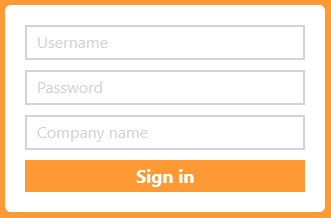
Username is provided by an administrator from your own backoffice, after they have created your account.
Password is also provided by an administrator from your backoffice, and if you forget your password always contact them for help with password reset: Reset users password
Generos own support can not help with this!
Company name must be entered in the same way as it is stated in the web address of your backoffice page. If the name consists of several parts, it must be written together. For example "Genero Solutions" would be written "generosolutions".
The company name field does not take capital letters into account, which means that it does not matter if the name is entered as follows "Generosolutions" or "generosolutions".
If you log in the first time in a new device:
Click on "Settings" and check that it is your userID that is stated there, otherwise change it. If you have taken over the device from a previous user, you can then click on "Wipe & Receive new data".
Do this only the first time to remove data from the previous user and to retrieve new data from your district. Only use the send- and send & receive sync after this!